
Step 1
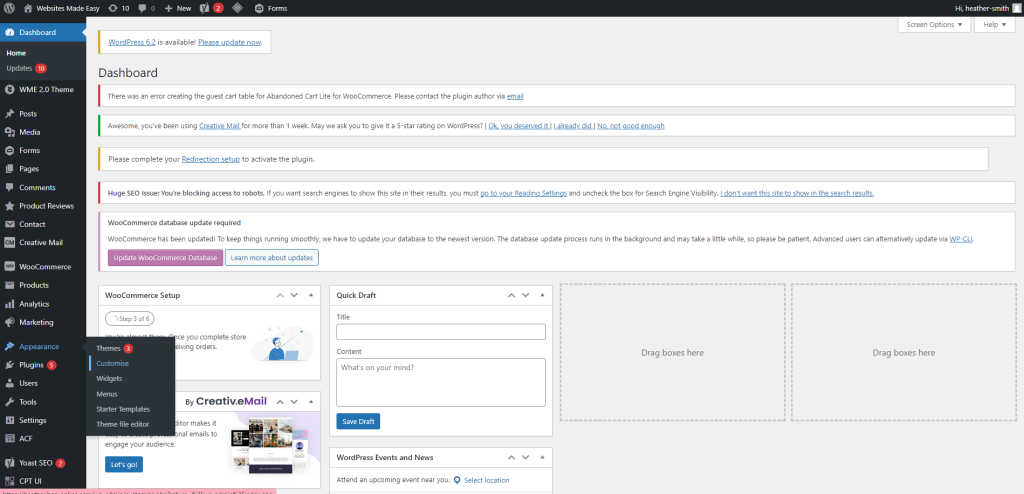
To update or add your social media links you’ll need to head to the Appearance tab and then select customise:
Step 2
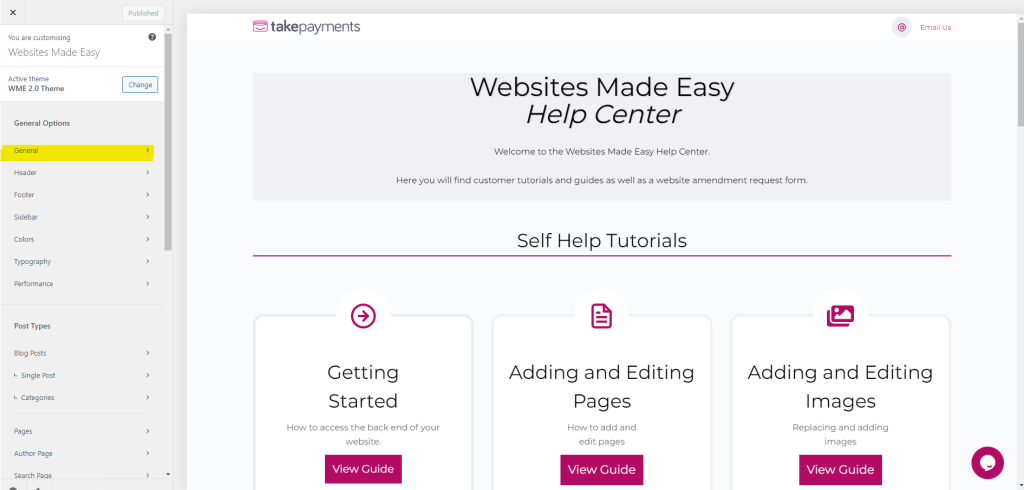
From there you will select the General tab:
Step 3
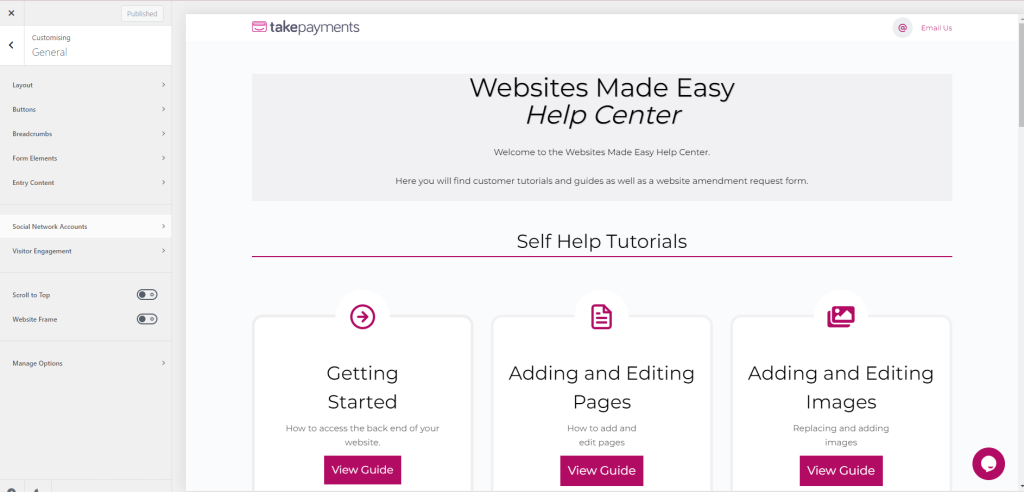
And then select the Social Network Accounts tab
Step 4
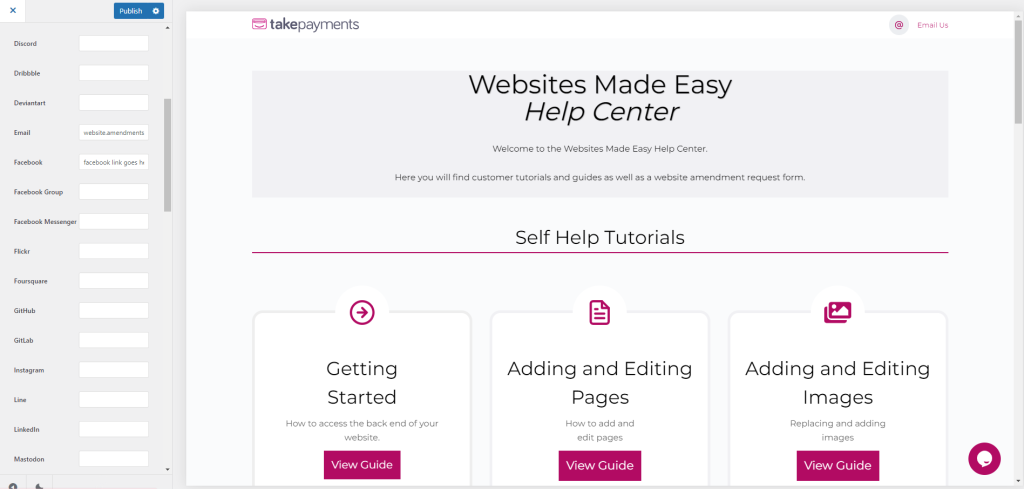
You will then be presented with an array of different social media accounts, simply find the one you want to add/update and enter the link
Step 5
You will then be presented with an array of different social media accounts, simply find the one you want to add/update and enter the link
Once done, click Publish at the top of the sidebar.