Step 1
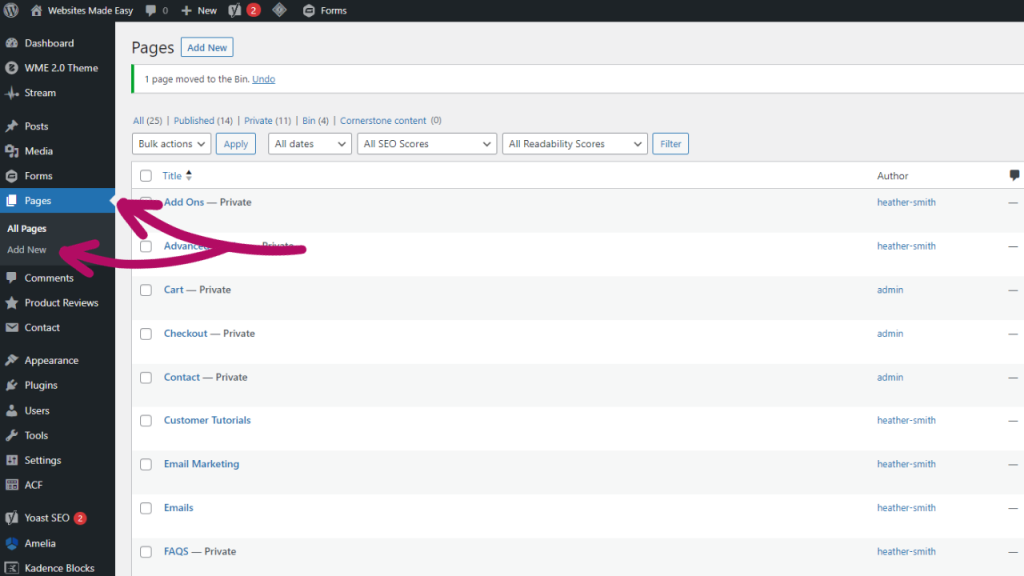
Starting on the dashboard, on the left hand side you will see a tab called Pages.
Hover over this or click it and you will be presented with “All Pages” and “Add New”
Step 2
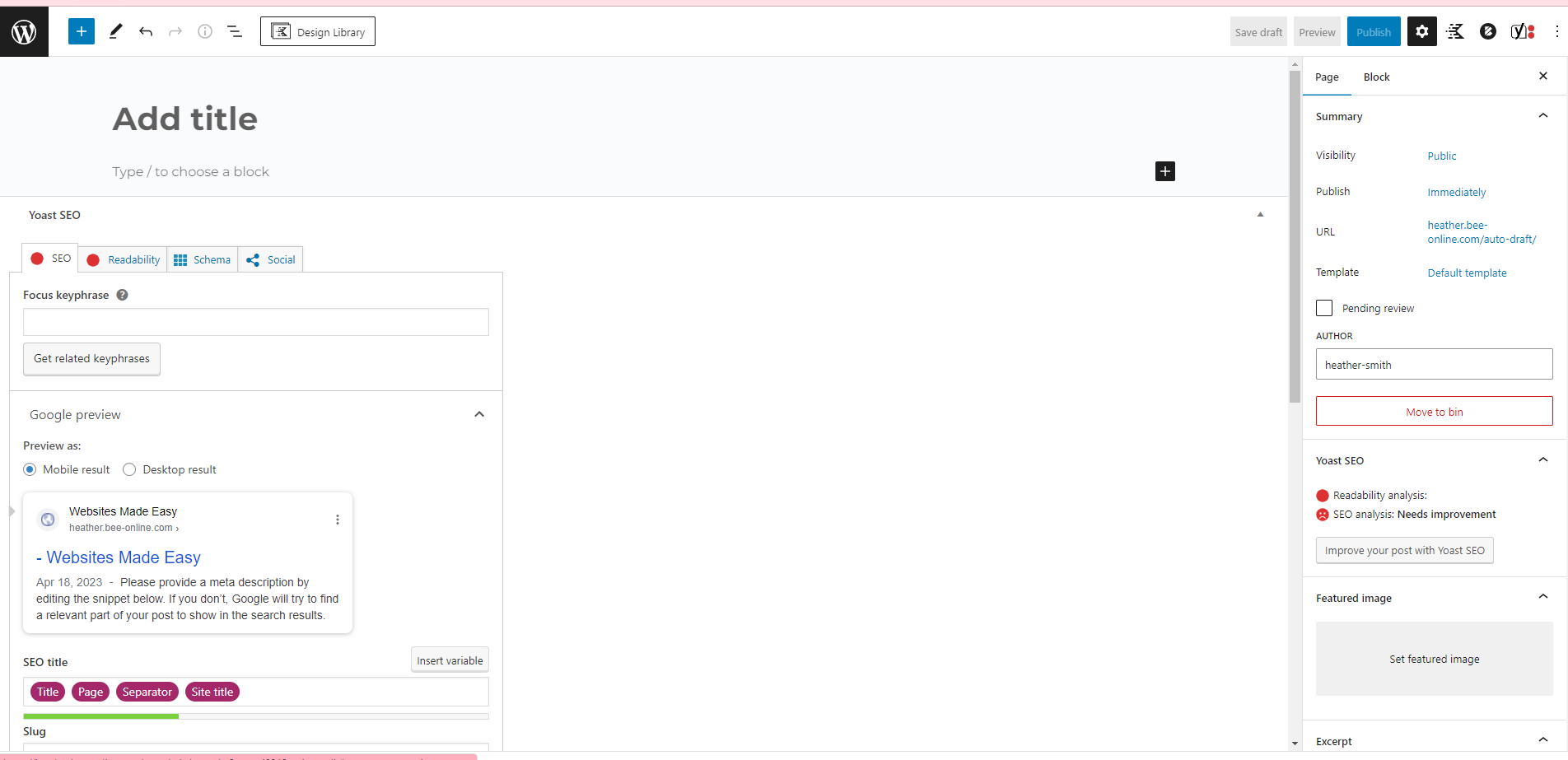
When you click Add New you will be taken to a fresh, blank page.
Step 3
To start, you will need to add your page title.
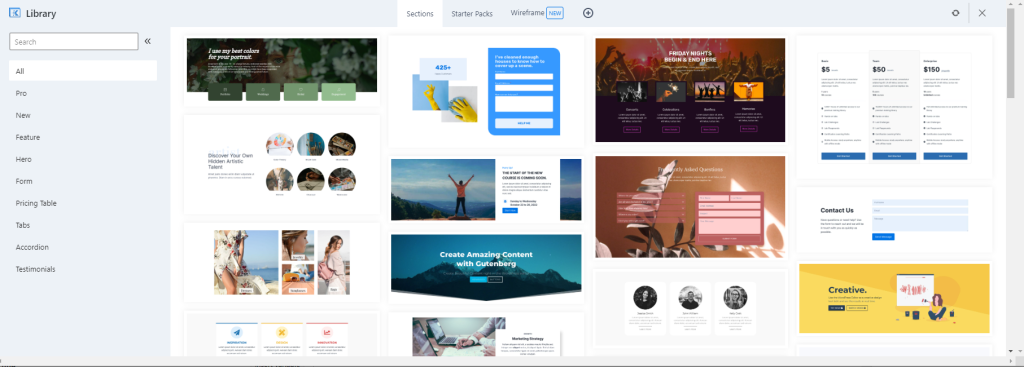
You can now start adding your layout sections. There are two ways to choose your layouts. You can use the Design Library, located at the top of the page, which provides you with many different layout designs.
Step 4
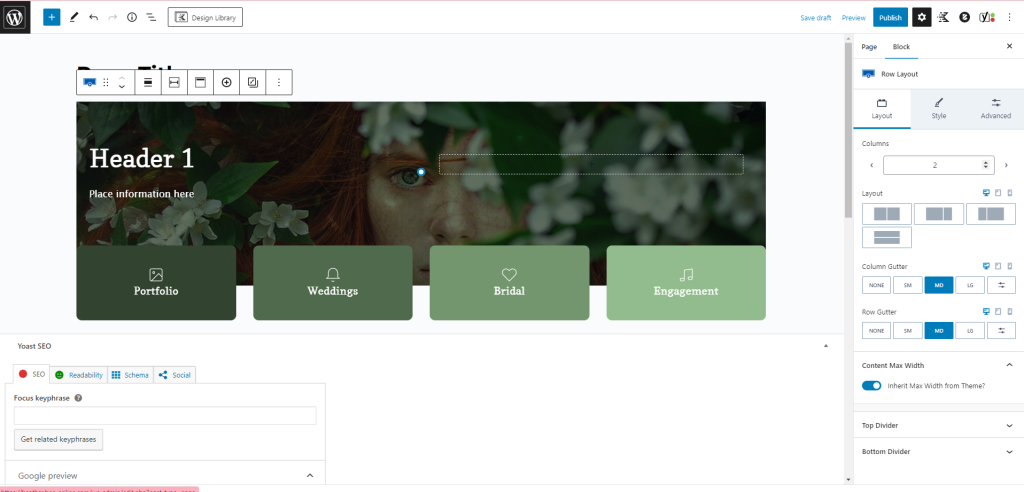
Once you have chosen the layout you like, it will load into the page like below:
Step 5
On the right hand side you can change the settings including colours.
There are many things you can adjust, and you will have plenty to play around with.
Once you’re happy with the page, you will just need to click “Publish” at the top right hand side.
That’s it! You’re all set.
Additional guides for Kadence blocks
Let us take care of your new page
Looking to incorporate a fresh page onto your website but lack the time or expertise to do it yourself? No worries! Simply acquire an additional page and let our skilled design team craft it for you. Upon purchasing this product, we’ll promptly reach out to gather all the necessary information and details for your new page.