
Coupons

Learn how to create coupon codes for your store to provide your customers with exclusive discounts and enhance their shopping experience.

Step 1

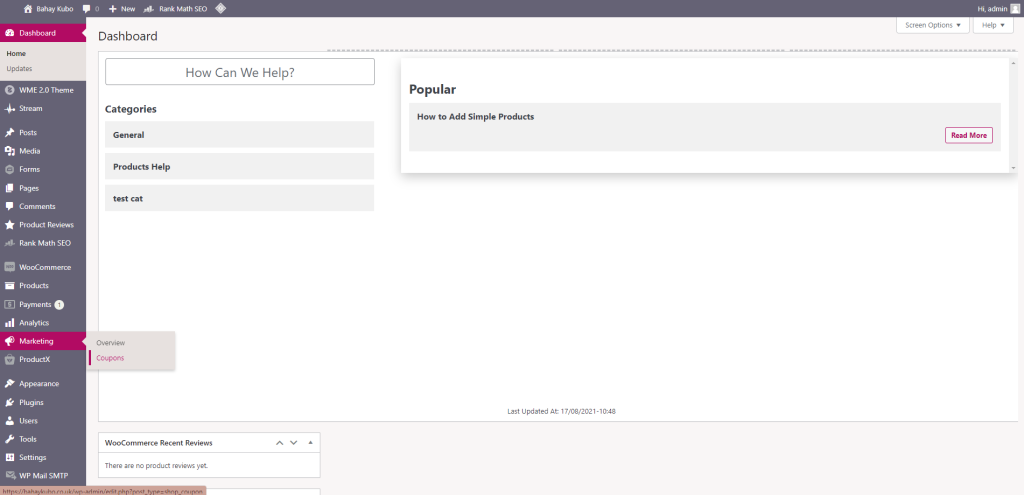
From the dashboard, on the left hand side, hover over Marketing and click Coupons.
Step 2

Click Add Coupon

Step 3

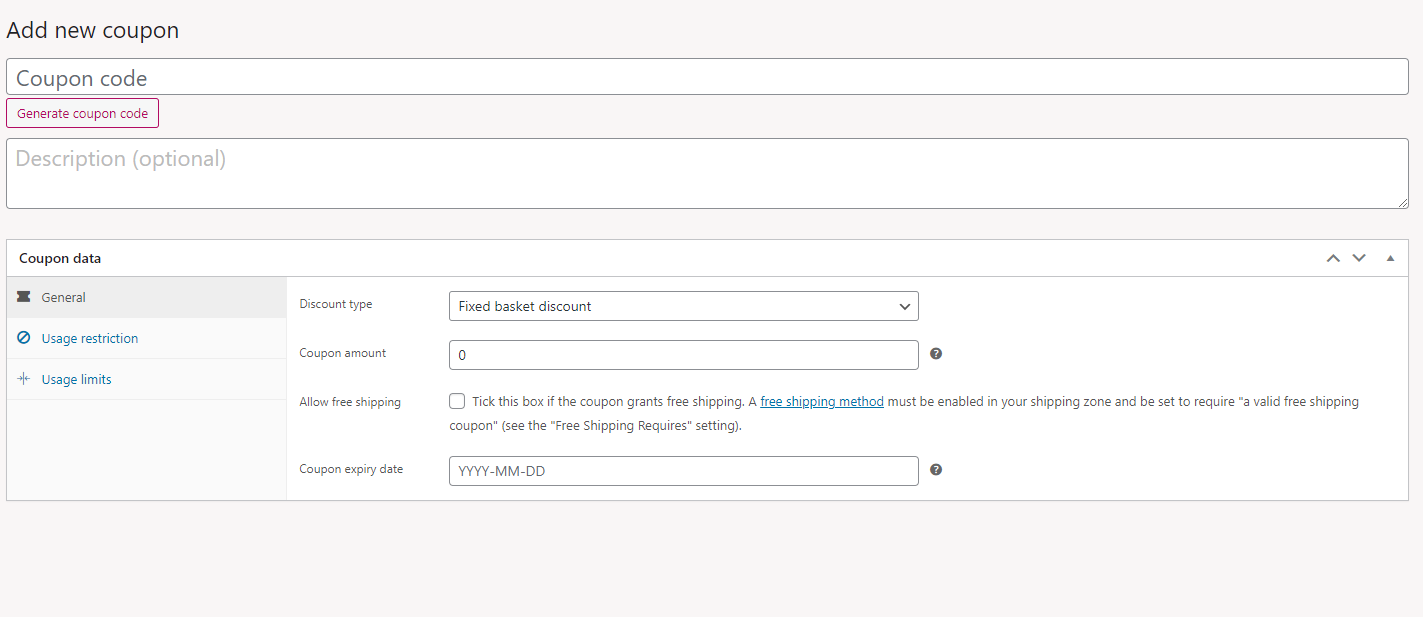
Fill in the fields

Coupon code: Name your coupon eg: OFF10

Discount type: Percentage or Fixed Basket Discount

Amount: 10 (% or Pounds)
Step 4

Once done, click update on the top right hand side.
That’s it! You’re all set.

Check out our other help guides

Still need support?

If you still are having trouble after following these steps, please raise a support ticket with us and we will be able to assist you further.