
Step 1
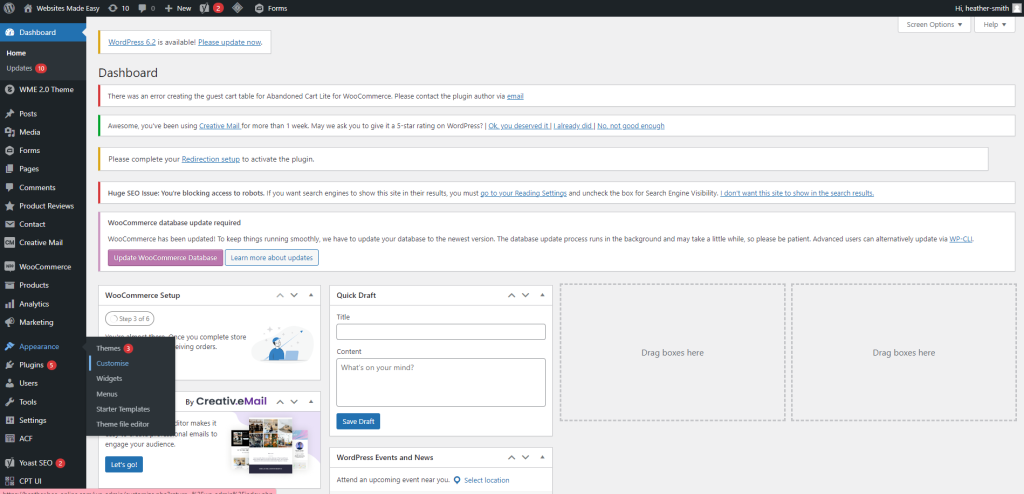
You’ve added a new page to your website so now it needs adding to your navigation menu.
Head to Appearance > Customise
Step 2
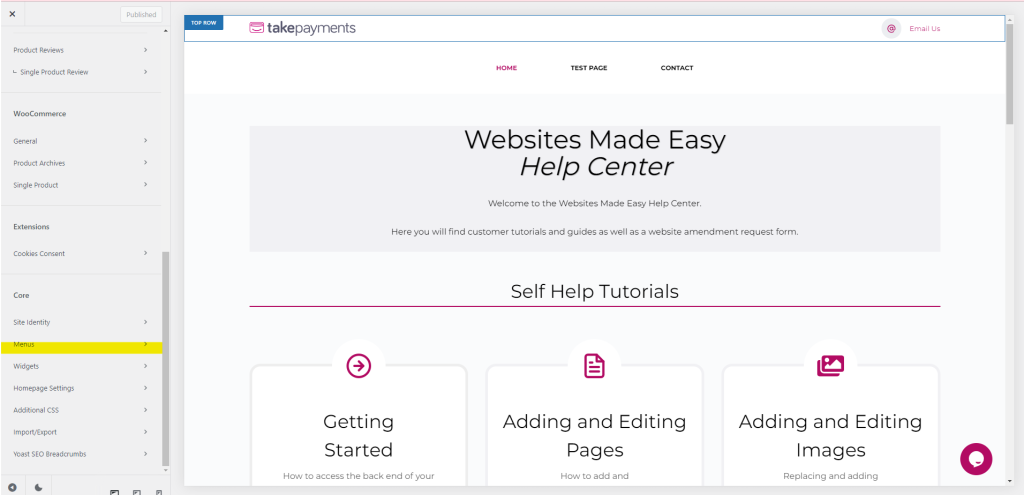
Scroll down the side bar to Core and select Menus
Step 3
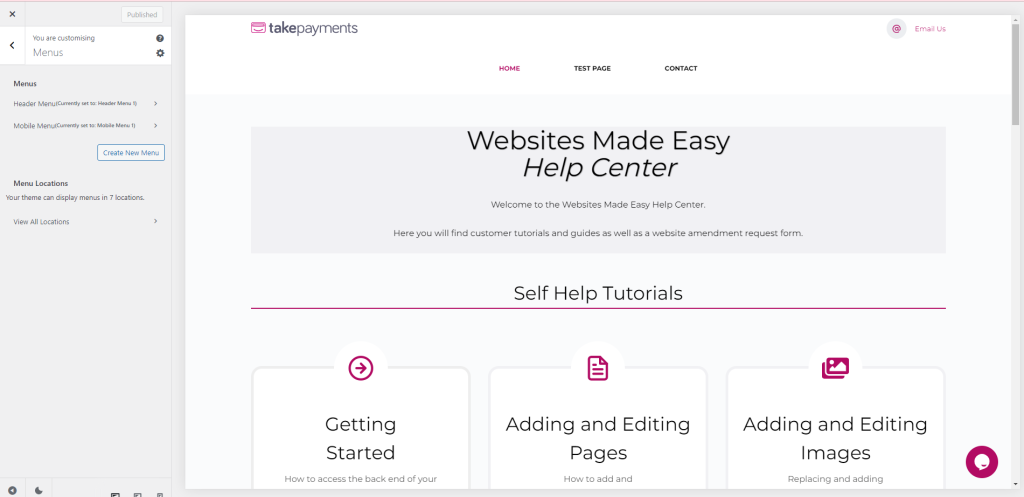
You will have your header menu and mobile menu and also your footer menu.
You will mainly want to update the Header Menu and your Mobile Menu.
Step 4
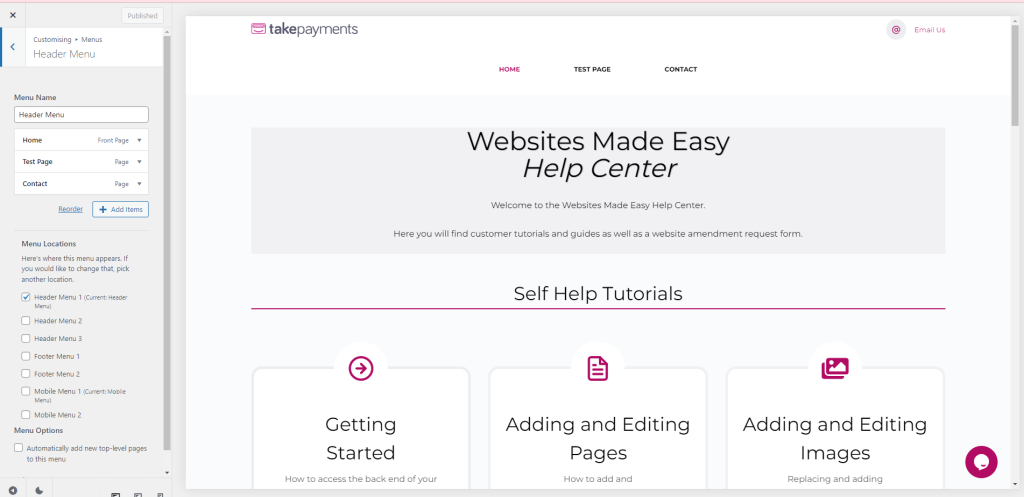
Select the Header/Mobile Menu
Step 5
Then select “Add Items”, this will bring up all of your pages, simply add the page by clicking the plus sign on the relevant page
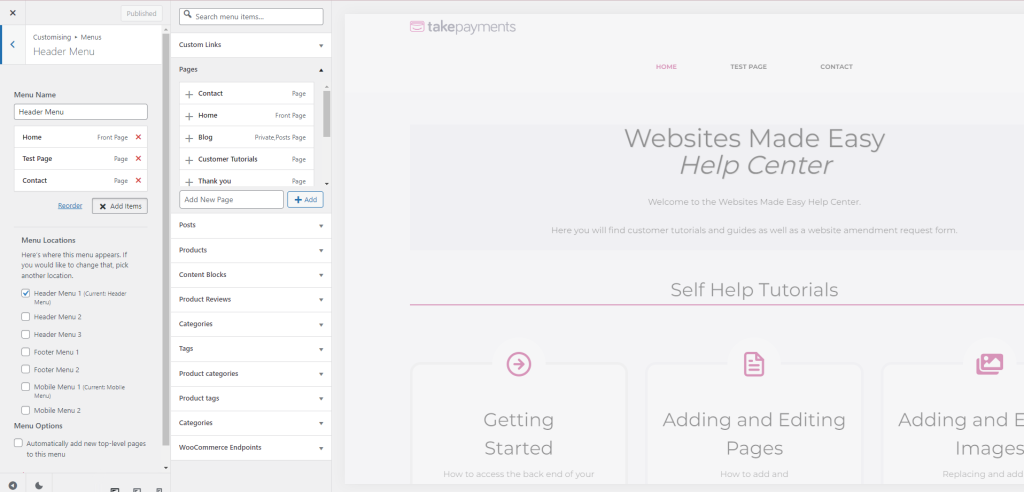
Step 6
You can then drag the page to the spot you want it to be in.
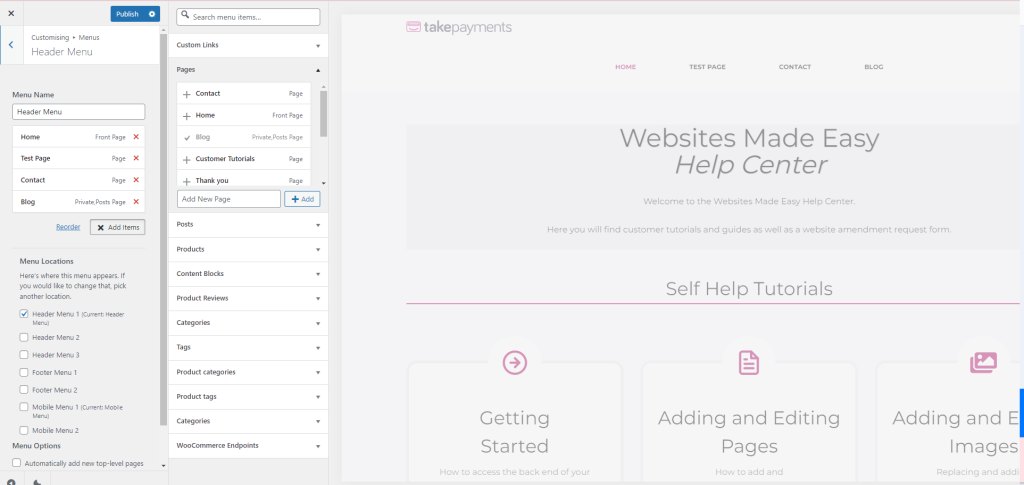
Step 7
Once done, click Publish and then repeat the process on the other menus – Footer/Mobile etc.
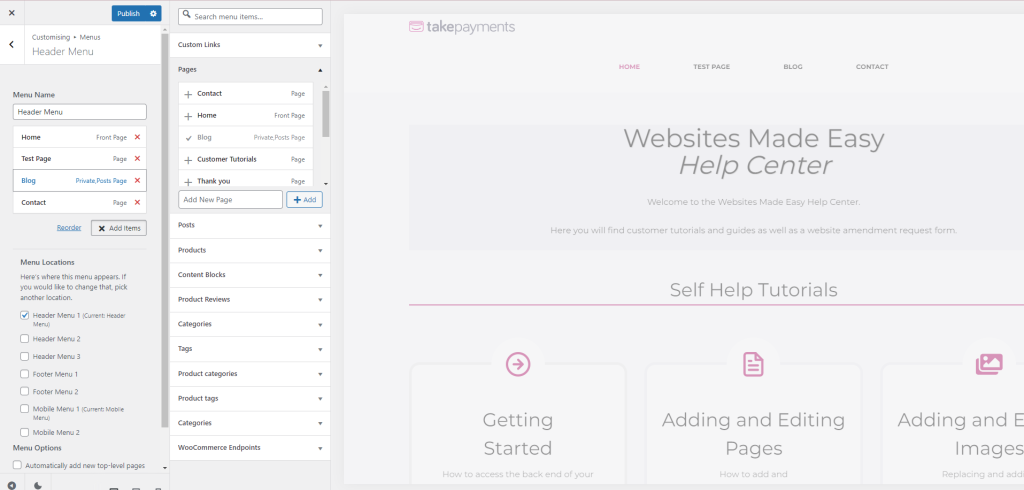
Step 8
Once done, click Publish and then repeat the process on the other menus – Footer/Mobile etc.
Step 9
Learn better by watching? Take a look at this video where we run through the steps again.