
Step 1
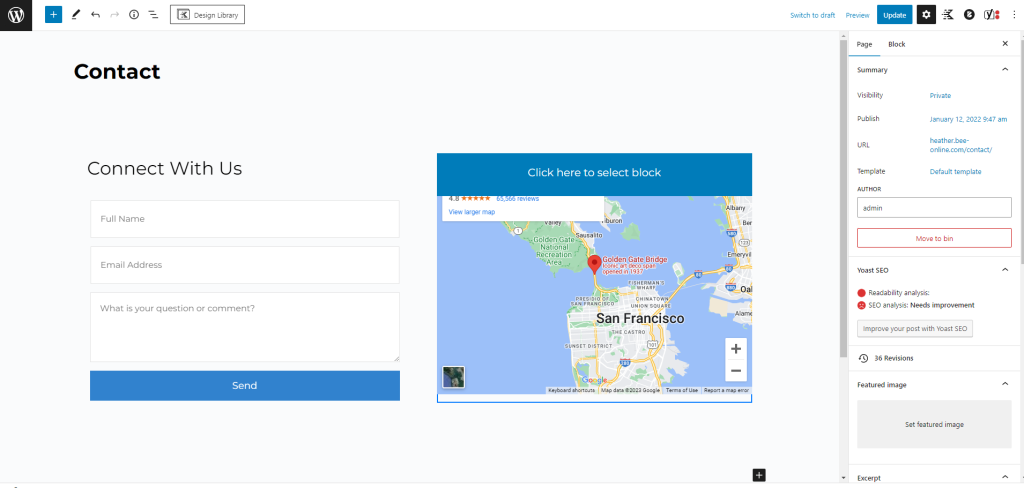
If you need to update or add a google maps to your website, you’ll need to start by heading to the page the map is located or where you want to add it.
If you’re updating an existing map, you’ll need to start by selecting the map block.
Step 2
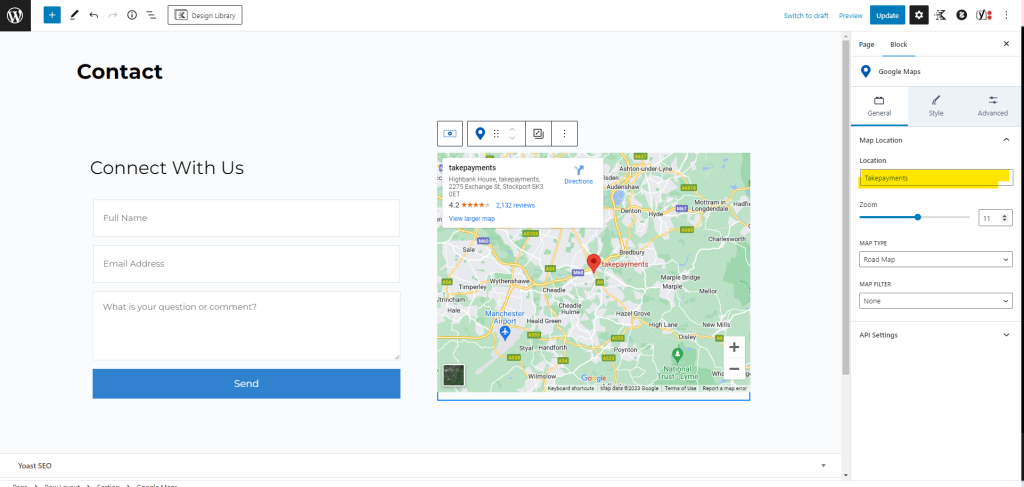
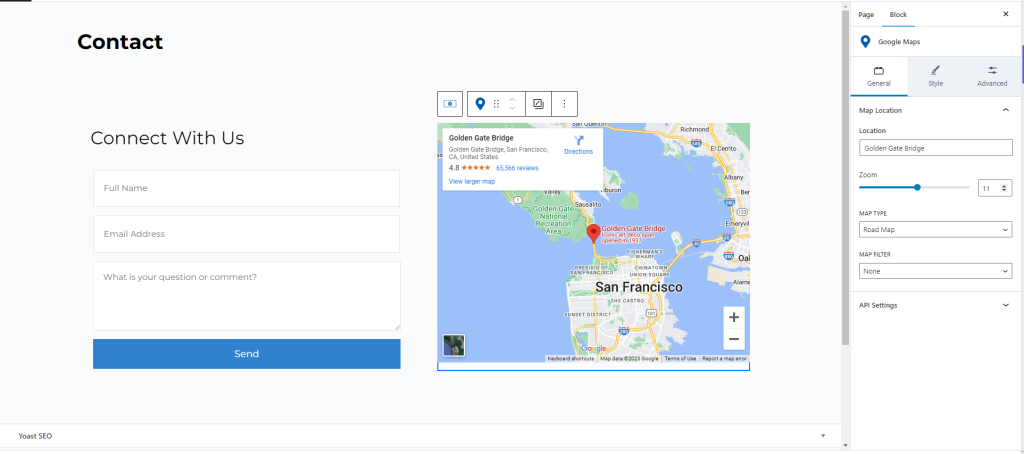
Once selected, the panel on the right hand will show the option to change the Location.
Step 3
Simply type in the address or your business name (if you’re registered on google business – highly recommended) and click update on the top right.
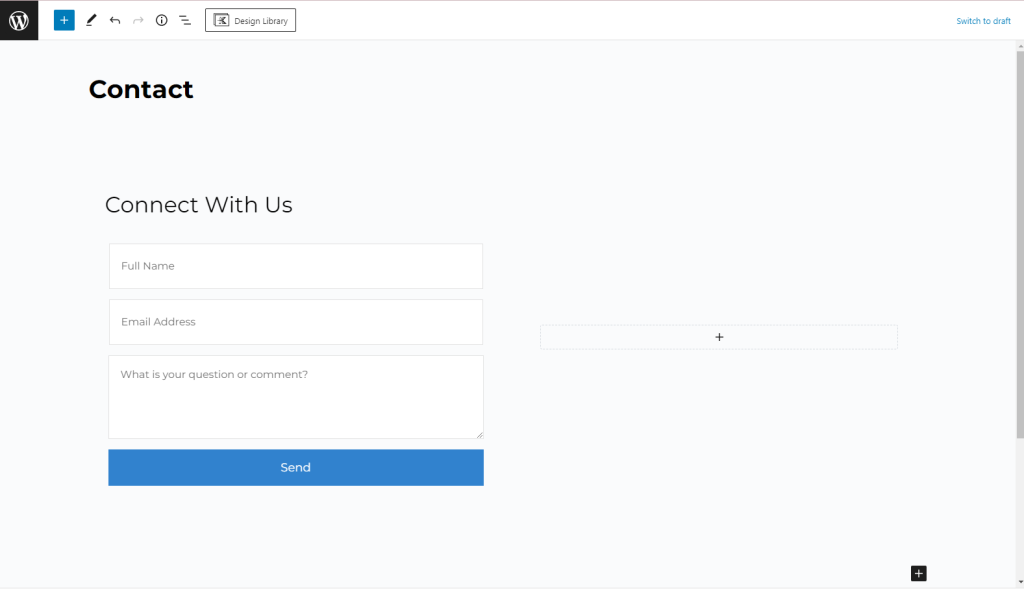
To add a google maps block, you’ll need to make sure you have either an empty space or create a new space.
Step 4
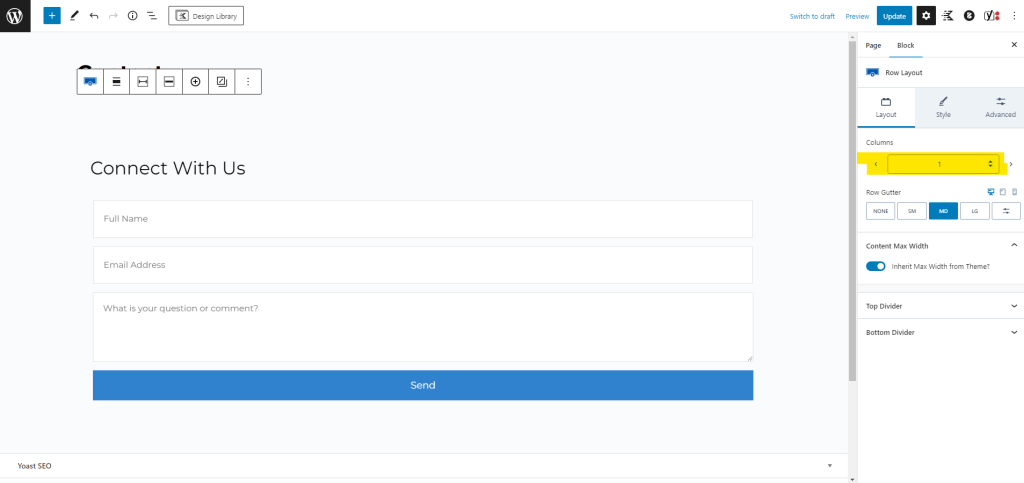
Change the columns to 2
Step 5
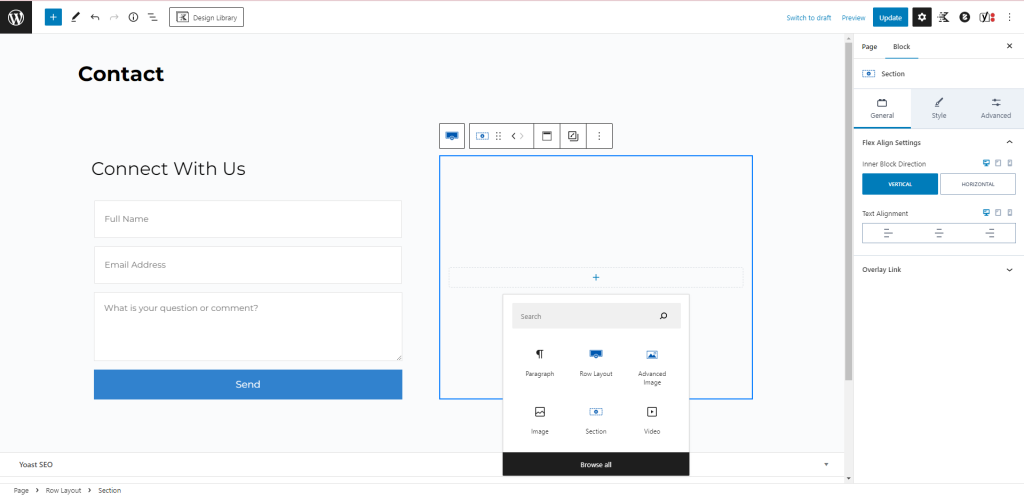
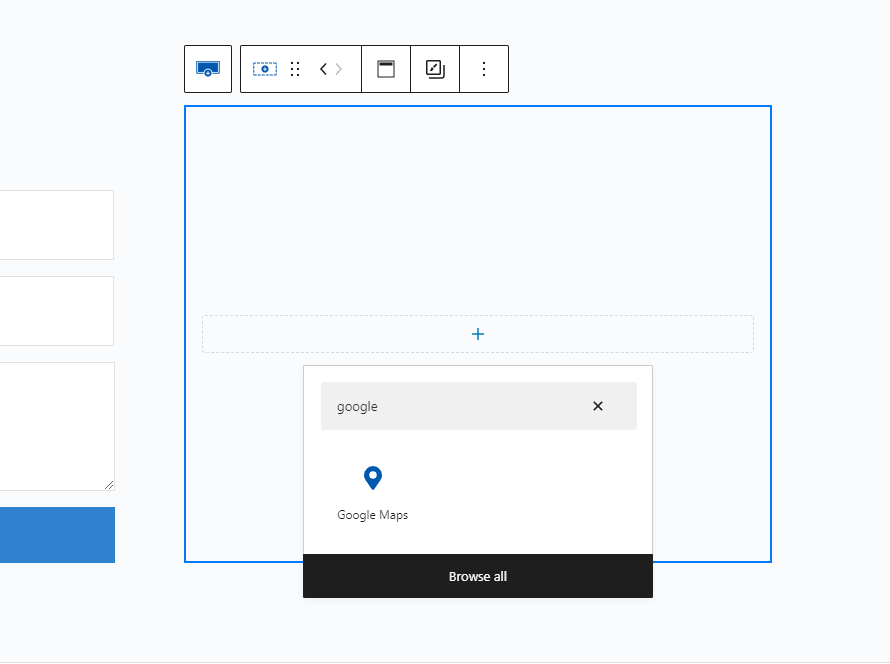
Click the plus button and this box will open, search for Google Maps
Step 6
Click the google maps icon and the map will be inputted like so
Step 7
Follow the steps at the start of this guide and you’re map will be added to the page.
That’s it! You’re all set.