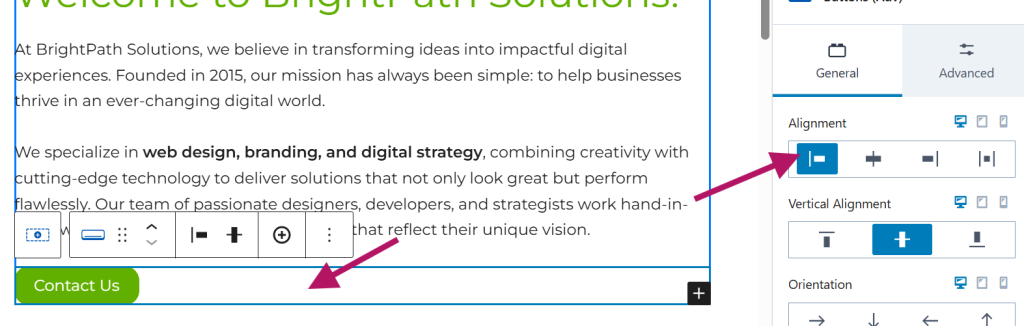

What is a CTA Button?
A Call-to-Action (CTA) button is a clickable element on your website designed to prompt visitors to take a specific action. Common examples include “Contact Us,” “Sign Up,” or “Buy Now.” CTA buttons help guide users toward important goals, such as making a purchase, filling out a form, or navigating to key pages. They are essential for improving user engagement and driving conversions.
Step 1
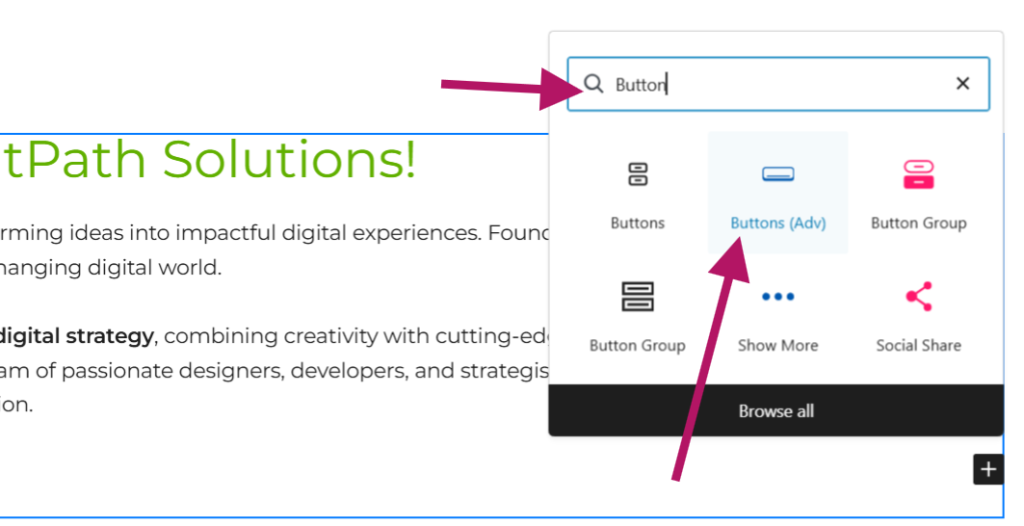
Add a New Block
To create a CTA button, you first need to add a new block:

Step 2
Insert the Button
This will insert a button into your page.
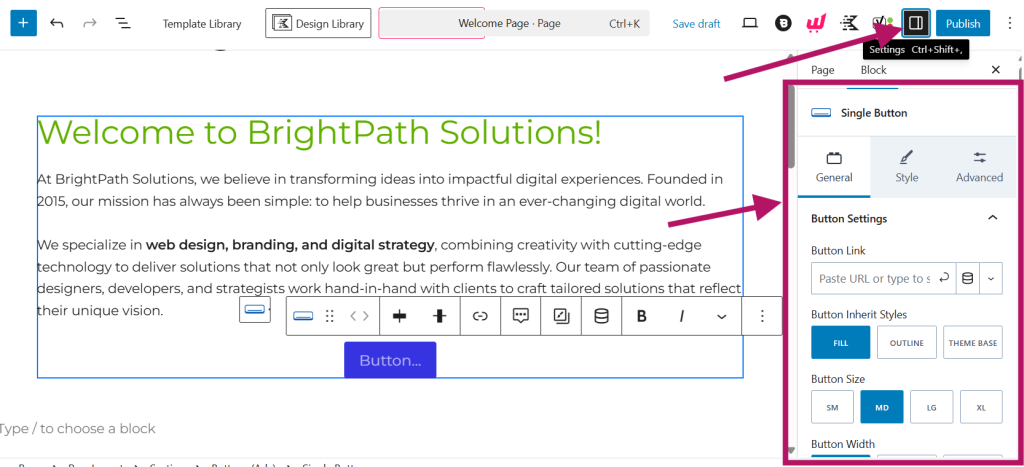
Step 3
Configure the Button
Now that the button is added, let’s make sure it matches your branding and links correctly:
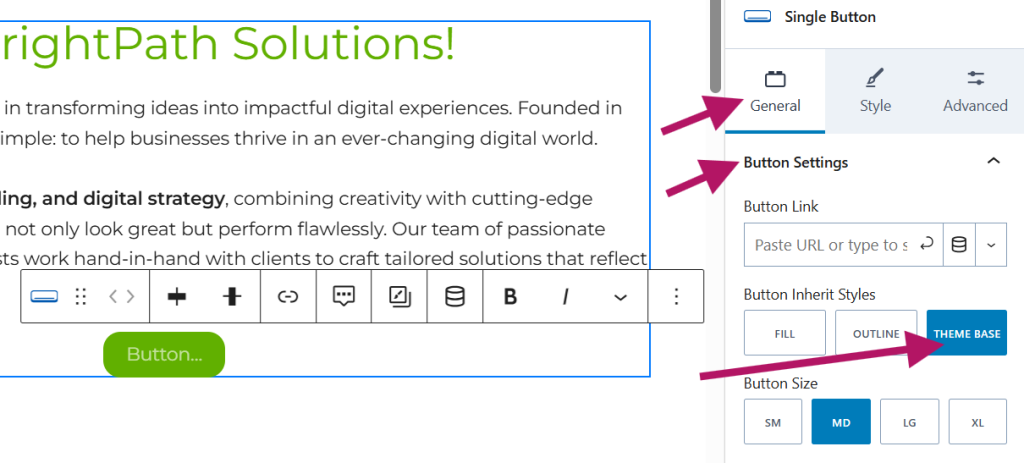
Step 4
Match Your Website Theme
To quickly match the button style with your site:
Step 5
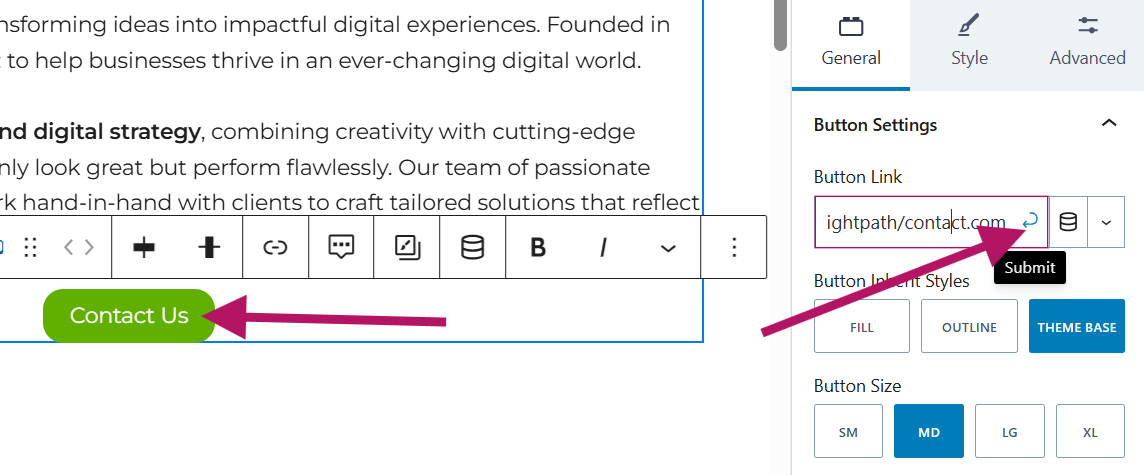
Add Link and Text
Step 6
Adjust Button Alignment
That’s it! You’re all set.